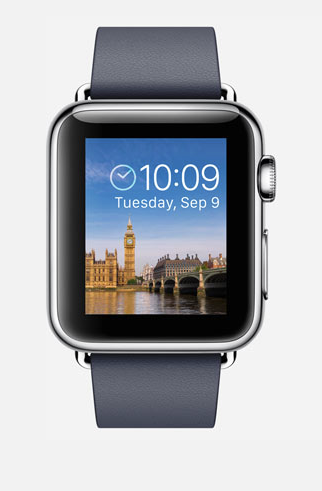
Today, Apple announced their new iPhone 7 in their event along with the new Apple watch series 2. The most heard rumor about the new iPhone 7 is the missing headphone jack, and it's true. While the new iphone 7 is not as boring as predicted before by many analyst, the changes it get still close to their earlier iphone 6s. Basically, there is no huge difference in term of their look, but it comes with 2 new color, black matte and glossy jet black. In term of color, we really like the jet black because it represent exclusivity of an iPhone. With this point, we give apple a plus, even the shapes is not much different than earlier iphone 6 and 6s line up.
The screen size comes with 4.7 inch for the iPhone 7 and 5.5 inch for iPhone 7 plus. It also bring dual lens camera for the iPhone 7 plus. As expected, iPhone want to be recognized as leading smartphone in term of camera quality with this new iPhone 7.
Here are a brief summary for all the features :
1. iPhone 7 doesn' have a headphone jack
Apple eliminates the old 3.5m headphone jack and will give their users two choices, lightning cord or wireless headphone. The new wireless headphone, called AirPods, embedded with Apple W1 chip for better signal processing. W1 chip also used by Beats brand. It is possible this could be used for other brand in the future.
2. Stereo Speakers
Fans has been waiting this for a long time. We feel that apple really slow about this update. The speakers located on the top and bottom of the phone.
3. New Home Button with Force Touch
The new iPhone 7 home button no longer rely on mechanical button like previous iphone. Apple claim that this new home button will be more responsive and has ability to respond for multiple commands and feedback.
4. Water resistant.
The new iphone 7 bring IP67 standards, which means it's completely dust-proof and can be in water with 1 meter deep.
5. Two Cameras
The iPhone 7 series comes with f1.8 lens for better low-light photography and up to 10x digital zoom. For the iPhone 7 plus has dual-lens which one of them is telephoto lens. With this lens, you can get high quality picture like DSLR picture quality. The front facing camera has 7 megapixel, while the rear camera will be 12 megapixel (including the dual-lens for iPhone 7 plus)
Professional Photographer, Jason Nocito, said the new camera allows photographers to "shoot fast without losing sharpness".
6. Brighter display
The display has a Retina HD display with wide color gamut. It also 25% brighter.
7. Longer battery life
Apple claims that iPhone 7's battery will last two hours longer than iPhone 6s and iPhone 7 plus will last one hour longer than iPhone 6s plus.
8. New 256 GB options
The storage get new option, 256GB. Apple also put the minimum storage to 32GB. This change presumably bring by apple because the picture and video quality dramatically increase in iPhone 7. As the consequences, It will require more storage for their users to save more photos and video.